RemoHop

中文

Reach your computers from anywhere

Use another computer from a browser, a phone or the command line: see its desktop, open a terminal, move files, forward ports. The two machines connect directly over an end-to-end encrypted session. The host needs no account, and the server is one you run yourself.

Open source (AGPL-3.0) · one Go binary · source on GitHub

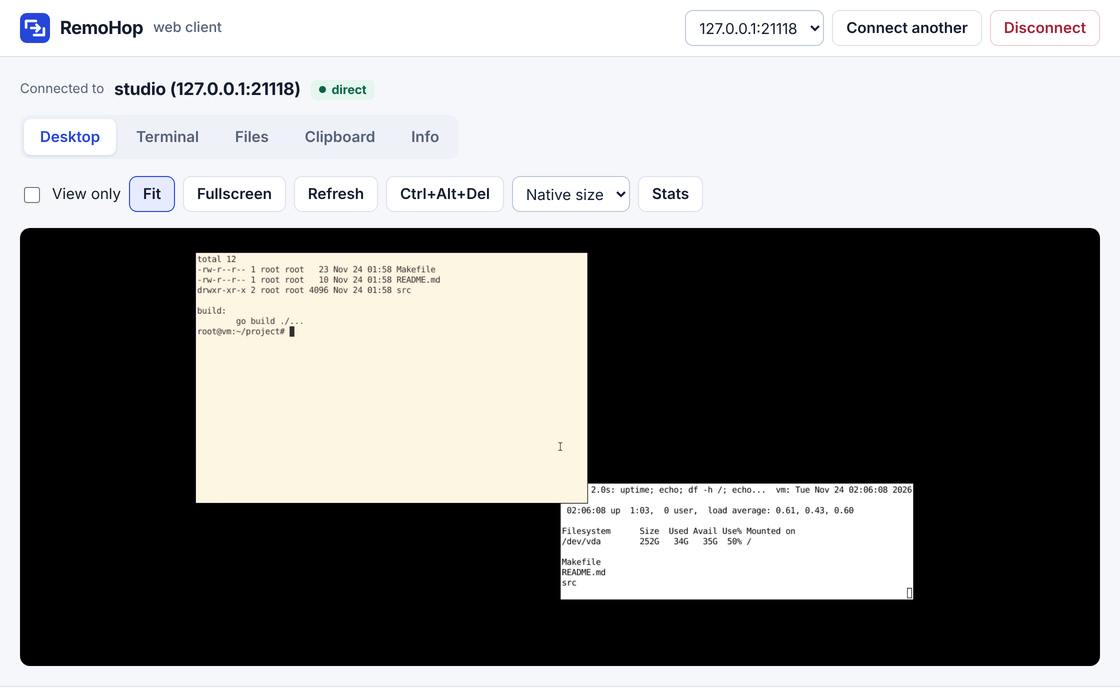
The Desktop tab of the remohop web browser client. The middle of the page shows the screen of a remote Linux machine with two terminal windows open; the top of the page shows the host's name and the connection path, direct.
The browser client's Desktop tab, an unedited capture.

Where it stands (November 2026): there are no published downloads yet, so you build from source. There is no built-in default server; you run your own rendezvous server. There has been no independent security audit. Linux is the reference platform, and macOS and Windows have only been exercised by automated tests on hosted CI machines. Full list of limits

The host decides

The host's owner can require a local "Allow" for every connection, switch features off one by one and revoke a pairing at any time. In quick support, every single connection needs the other person's OK.

One remohop program

The host, the command-line client, the browser gateway, the rendezvous server and the MCP server for AI agents are all the same static binary.

Yours to run

No built-in server and no account. On a LAN you connect by address; across networks you use a rendezvous server you run yourself, and the smallest VM is enough.

What do you want to do?

Quick support

Help someone with their computer

They open RemoHop Quick Support, which shows a 9-digit ID and a temporary password in large type, and read both to you. When you connect, they see your device name, device key and address, and you get in only after they press Allow. Nobody answering for 60 seconds counts as a refusal.

By default you can see the screen, use the mouse and keyboard, and move files. Running commands and reaching their network need an extra tick from them. Closing the window stops sharing.

You connect from the command line, the browser client or a phone app. Both sides need to use the same rendezvous server.

Host + client

Reach your own machines

Run remohop host on the machine you want to reach; it prints an ID and a temporary password. Pair once from your own machine, and later connections need no password.

# the host
$ remohop host
# your machine
$ remohop 276941009 pair --name dev
$ remohop dev shell
$ remohop web --target dev

On one LAN you can skip the server: run remohop host --no-signal --listen :21118 on the host and use its address instead of the ID.

Get RemoHop

There are no published downloads yet; all three are built from source for now. This section will link to the downloads after the first release.

Not released yet

The remohop program

Linux · macOS · Windows

Host, client, browser gateway and rendezvous server in one binary. Build it with the Go version in go.mod (1.26):

git clone https://github.com/readori/RemoHop
cd RemoHop
make build

Not released yet

Quick Support

Windows · macOS · Linux

The window the person being helped double-clicks. make quick builds RemoHop.exe, RemoHop.app and a Linux program, none of them code-signed yet.

Not released yet

Phone controller

Android · iOS / iPadOS

Connect to and operate your computers from a phone or tablet; the phone itself cannot be controlled. TestFlight for iOS is in preparation, and the Android app is in no store yet.

Read next